A real alpha channel
Full and partial transparency, so glass, smoke and soft shadows keep their see-through edges.
New · Released November 9, 2026
ByteDance's newest Seedream image model, ready in your browser.
Seedream 5.5 is the image model ByteDance's Seed team released on November 9, 2026. On LookRoll you write a prompt or attach up to 10 reference images, pick the size, shape and background, and see the exact credit price before you generate, from 39 credits per image.
 Open Seedream 5.5 studio
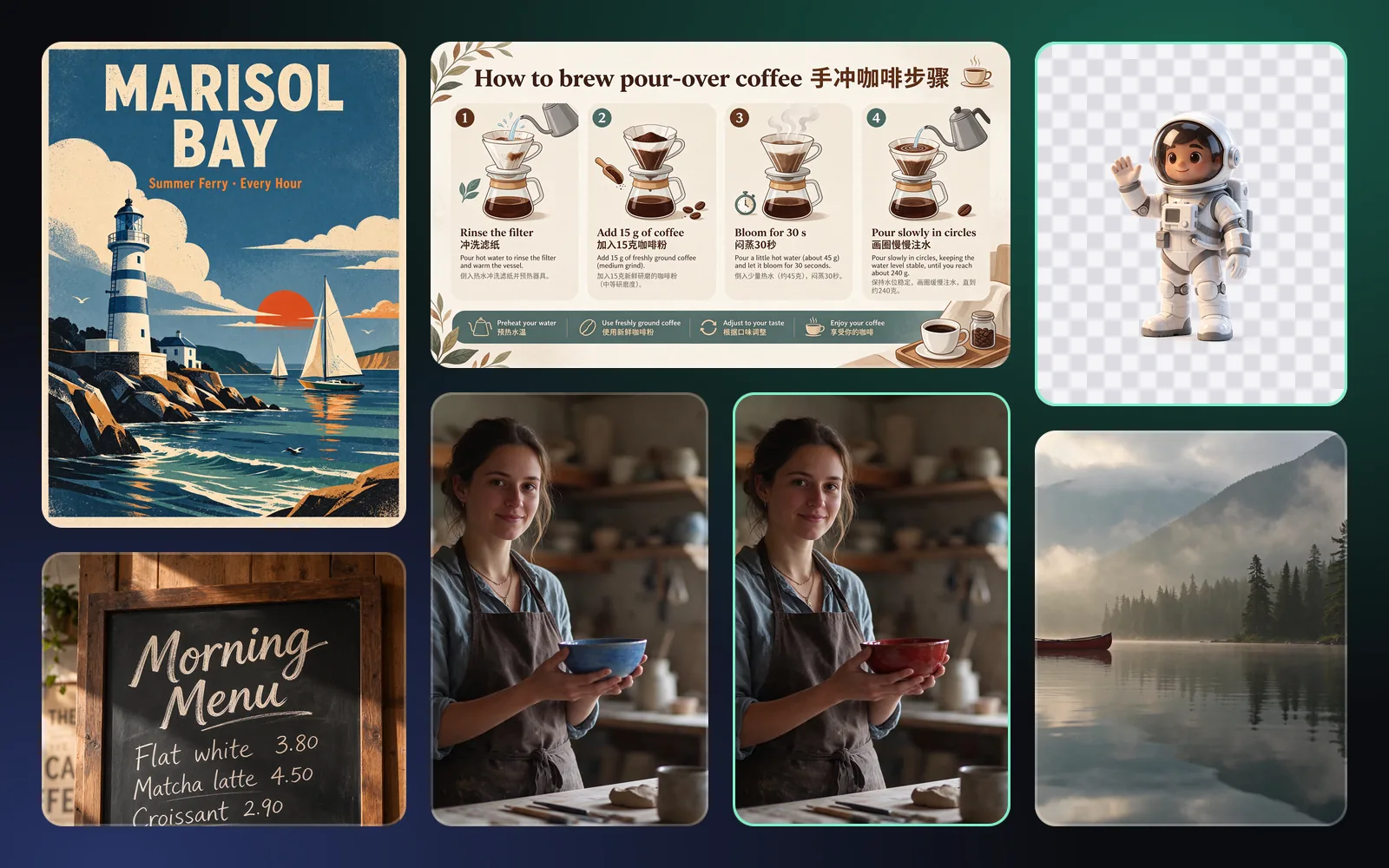
Every image below was made with Seedream 5.5 on LookRoll from the prompt shown, without retouching.
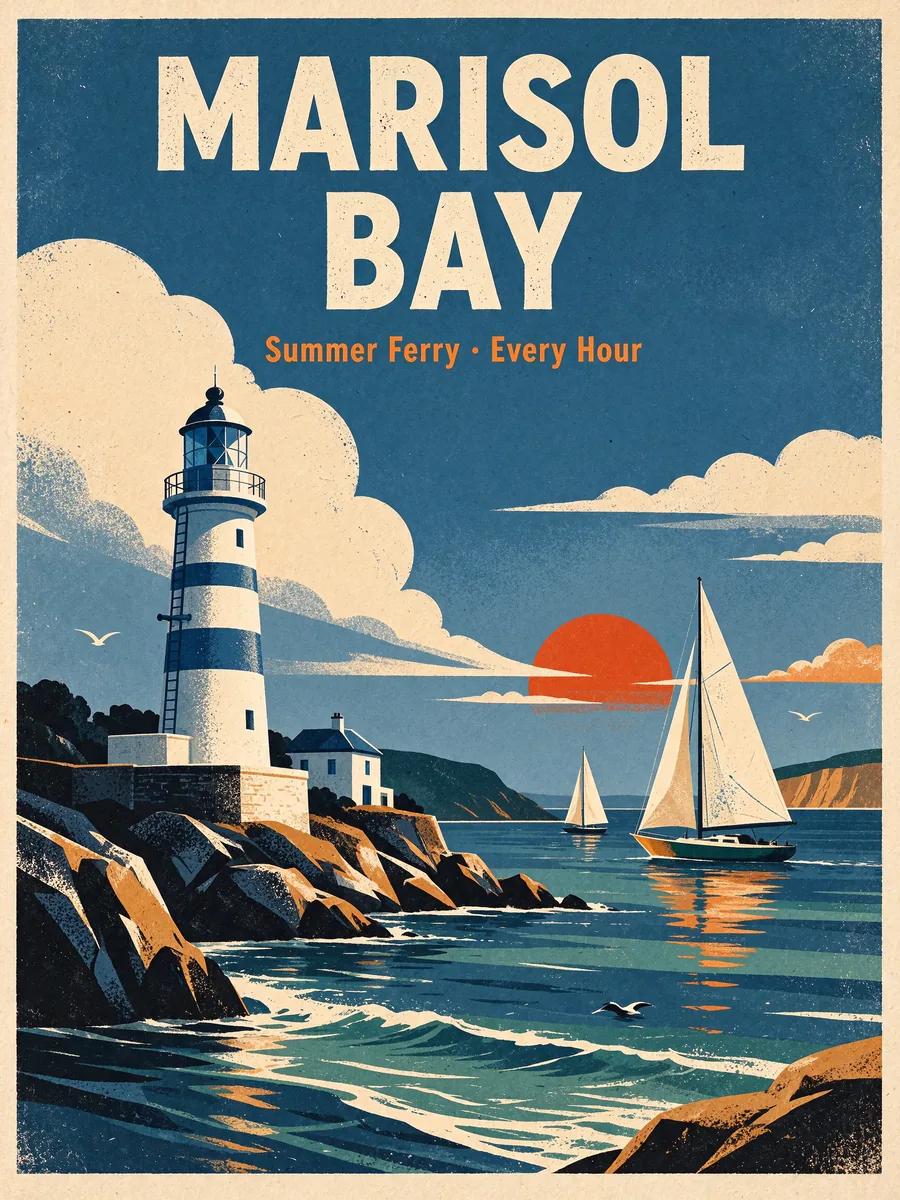
A travel poster with an exact headline and tagline.
2K · 3:4
Prompt: A mid-century travel poster for a fictional seaside town. Bold headline at the top: "MARISOL BAY". Smaller line under it: "Summer Ferry · Every Hour". A white lighthouse, two sailboats and a low orange sun in flat screen-print colours with visible paper grain. Every word spelled exactly as written, no other text.
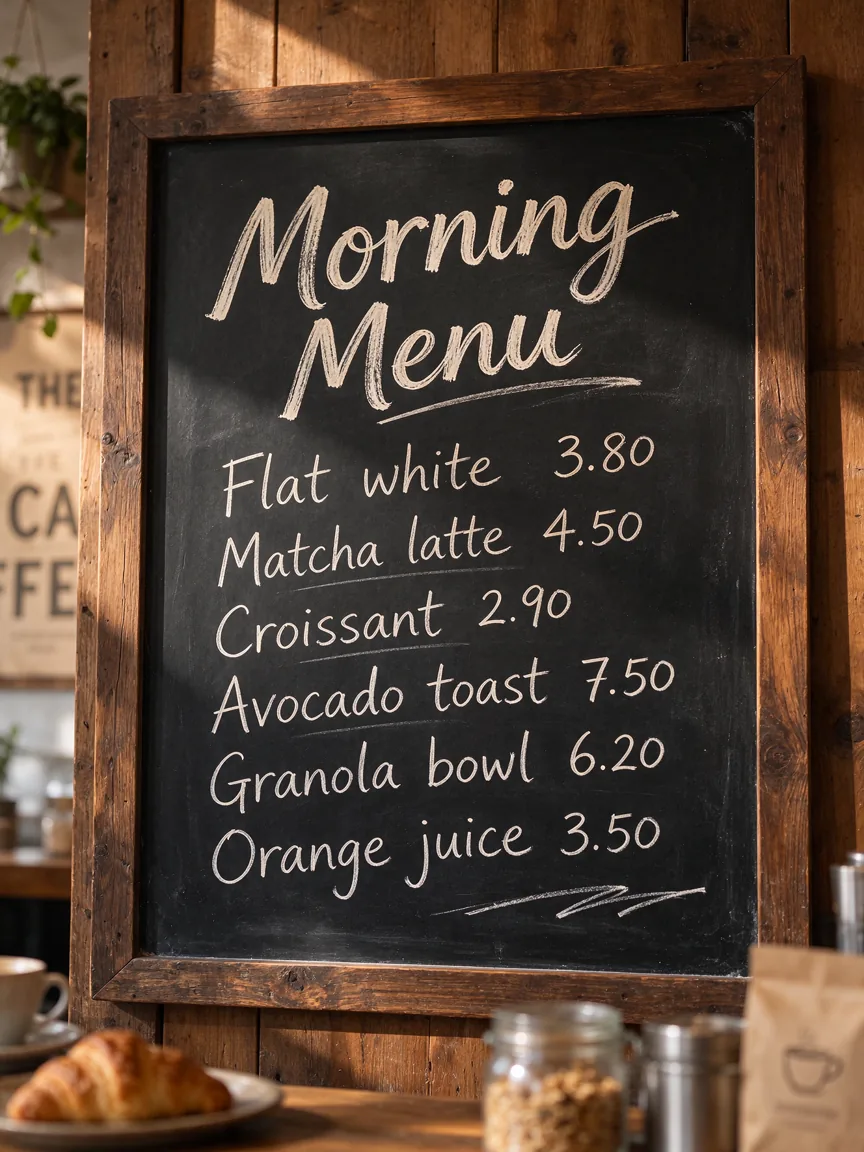
Six menu lines with prices, legible even at 1K.
1K · 3:4
Prompt: A chalkboard café menu photographed on a wooden wall in a cosy café. Title in chalk: "Morning Menu". Under it a neat list with prices: "Flat white 3.80", "Matcha latte 4.50", "Croissant 2.90", "Avocado toast 7.50", "Granola bowl 6.20", "Orange juice 3.50". Hand-drawn chalk lettering, small text crisp and readable, warm morning light.
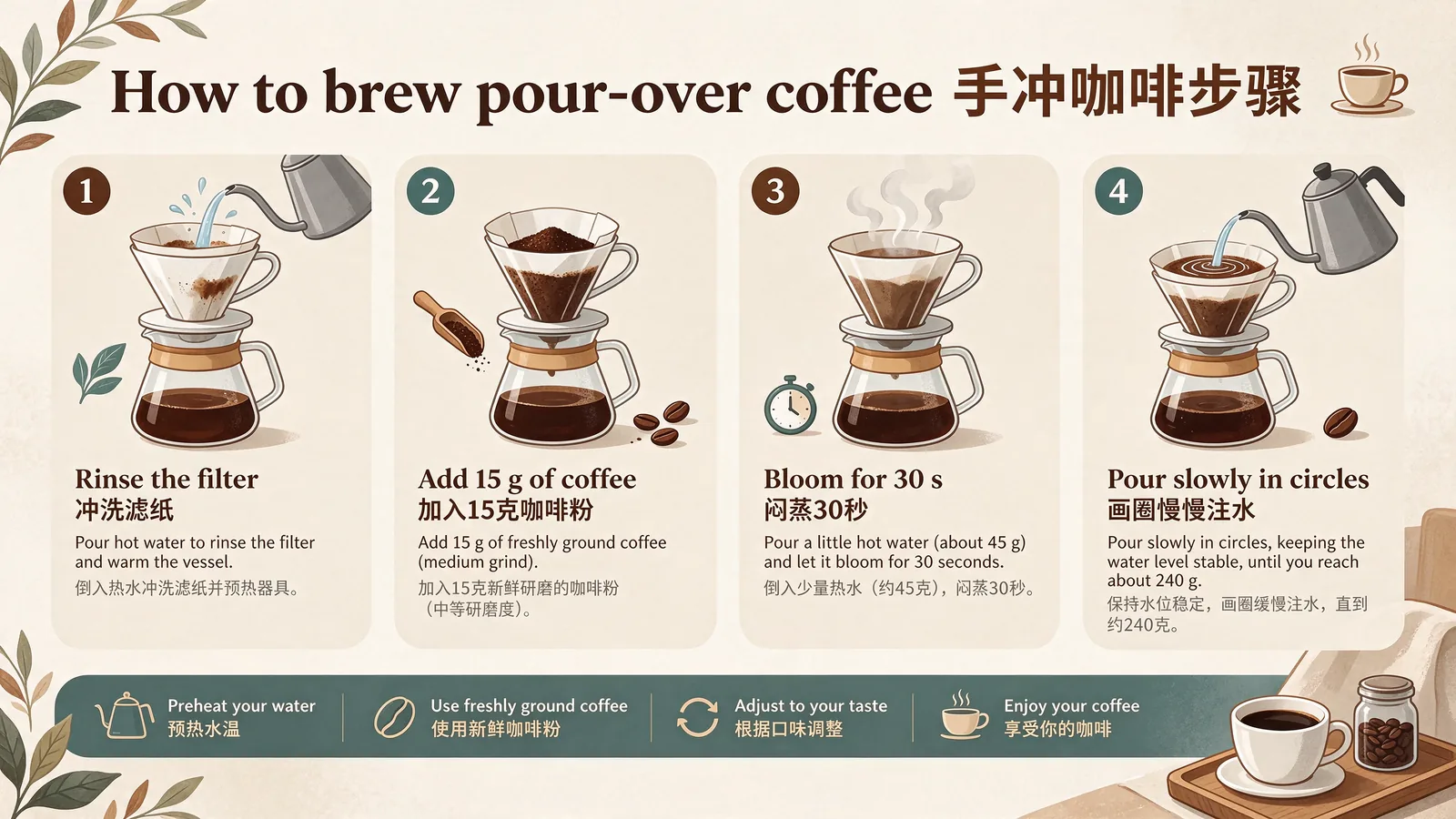
A four-step guide with bilingual captions.
2K · 16:9
Prompt: A clean flat-design infographic titled "How to brew pour-over coffee 手冲咖啡步骤". Four numbered panels with icons and short bilingual captions: "1 Rinse the filter 冲洗滤纸", "2 Add 15 g of coffee 加入15克咖啡粉", "3 Bloom for 30 s 闷蒸30秒", "4 Pour slowly in circles 画圈慢慢注水". Cream background, brown and teal palette, every character spelled exactly.
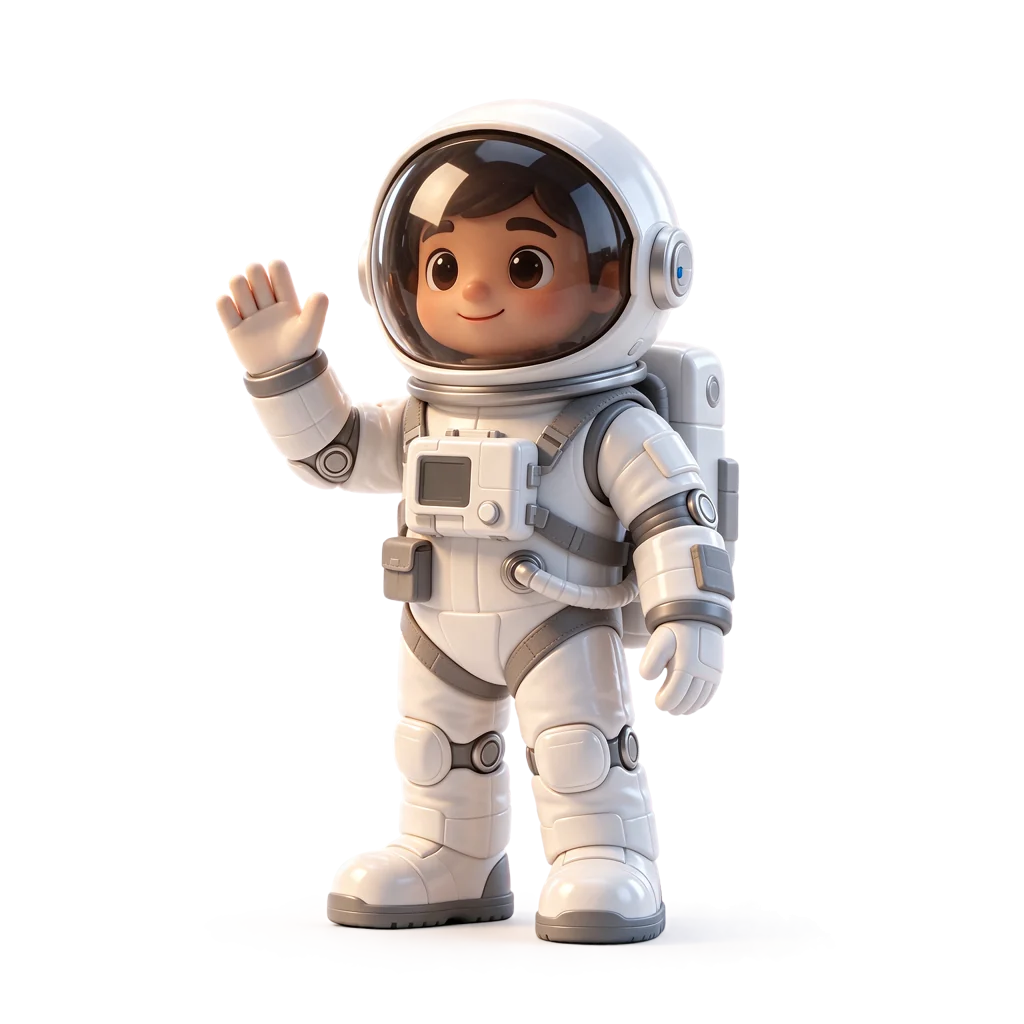
A mascot with a real alpha channel, ready for any background.
1K · 1:1 · Transparent
Prompt: A glossy 3D toy astronaut mascot waving one hand, isolated object with no background, soft studio lighting, clean edges, a semi-transparent tinted glass helmet visor and a soft transparent shadow under the feet.
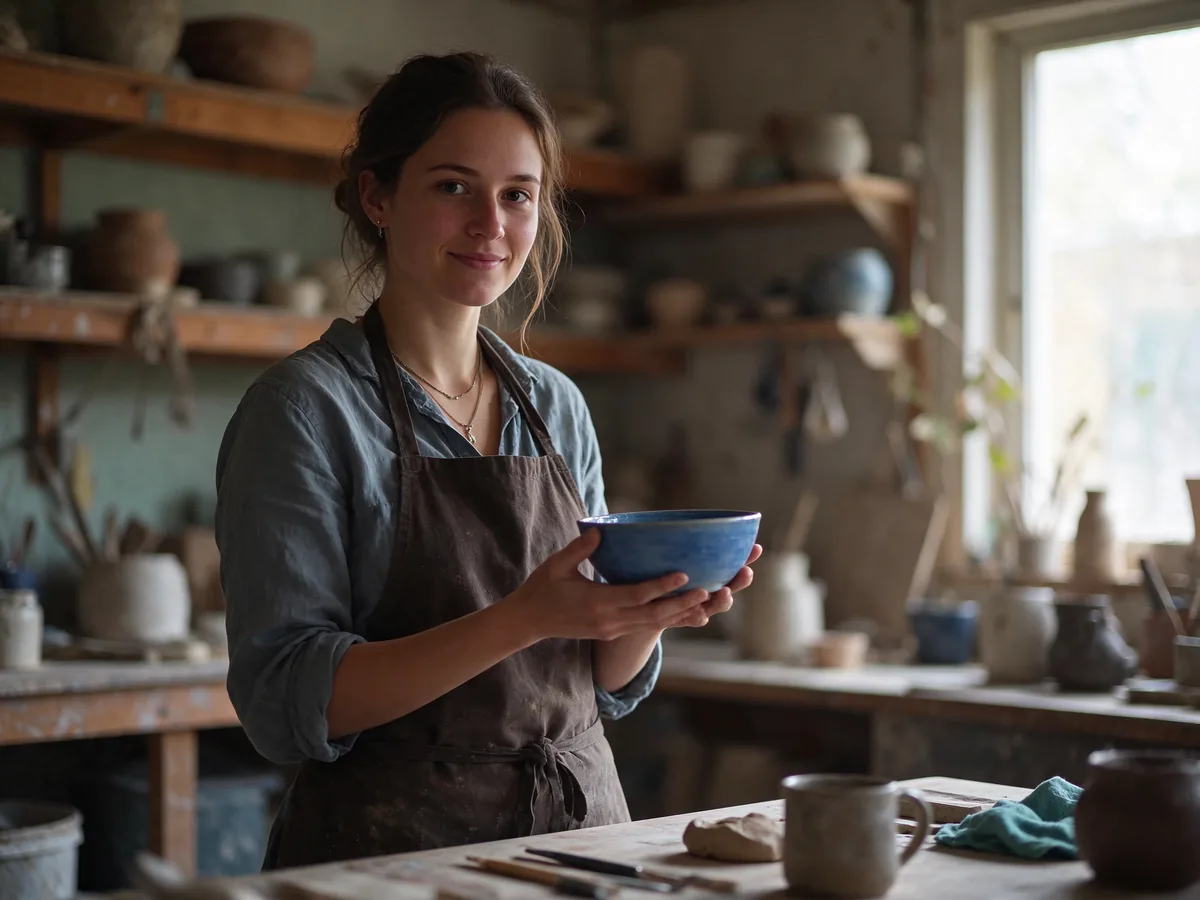
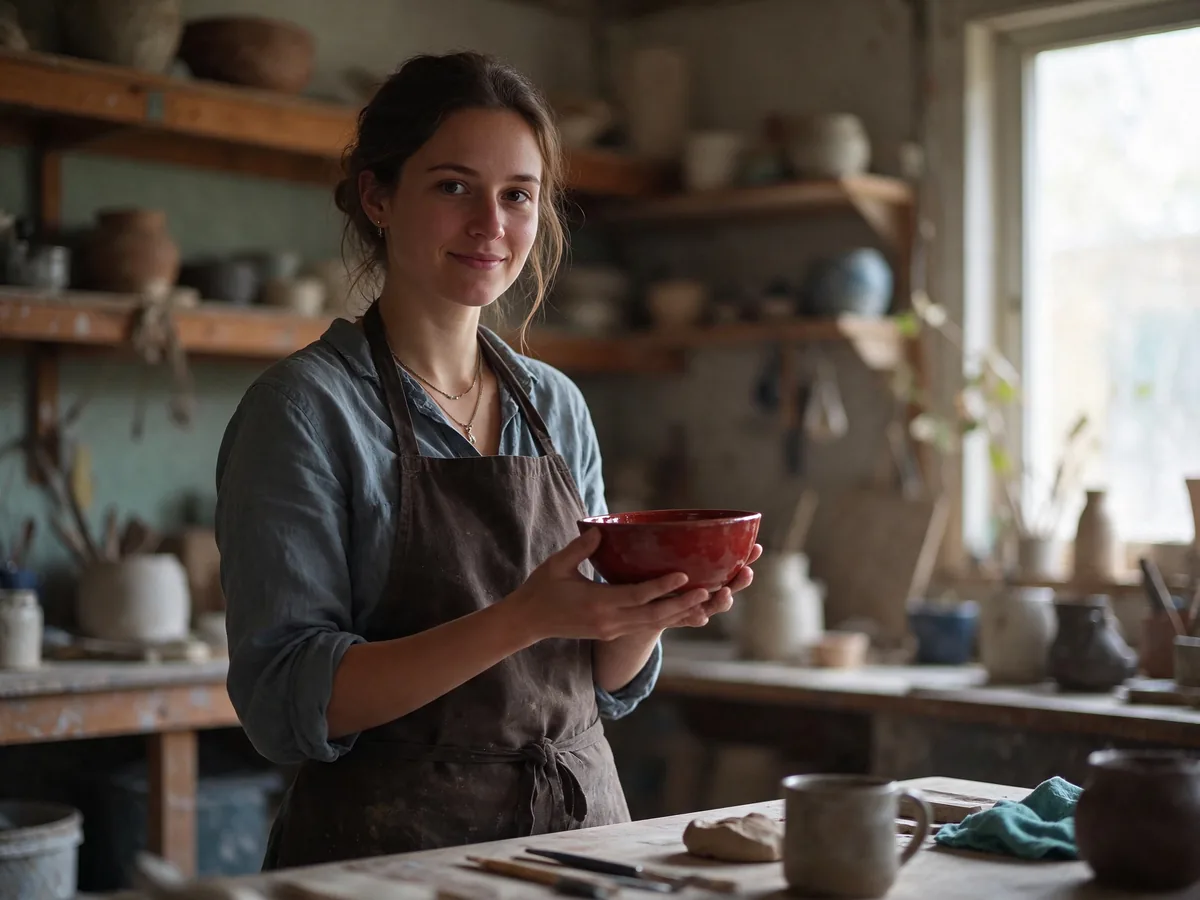
Only the bowl turns red; her face, pose and studio stay the same.
1.5K · 4:3 · 1 reference
Prompt: Edit image 1. Change only the bowl glaze from blue to a deep glossy red, and add one small potted plant on the shelf behind her. Keep her face, expression, pose, clothes, hands, lighting, background and framing exactly the same.
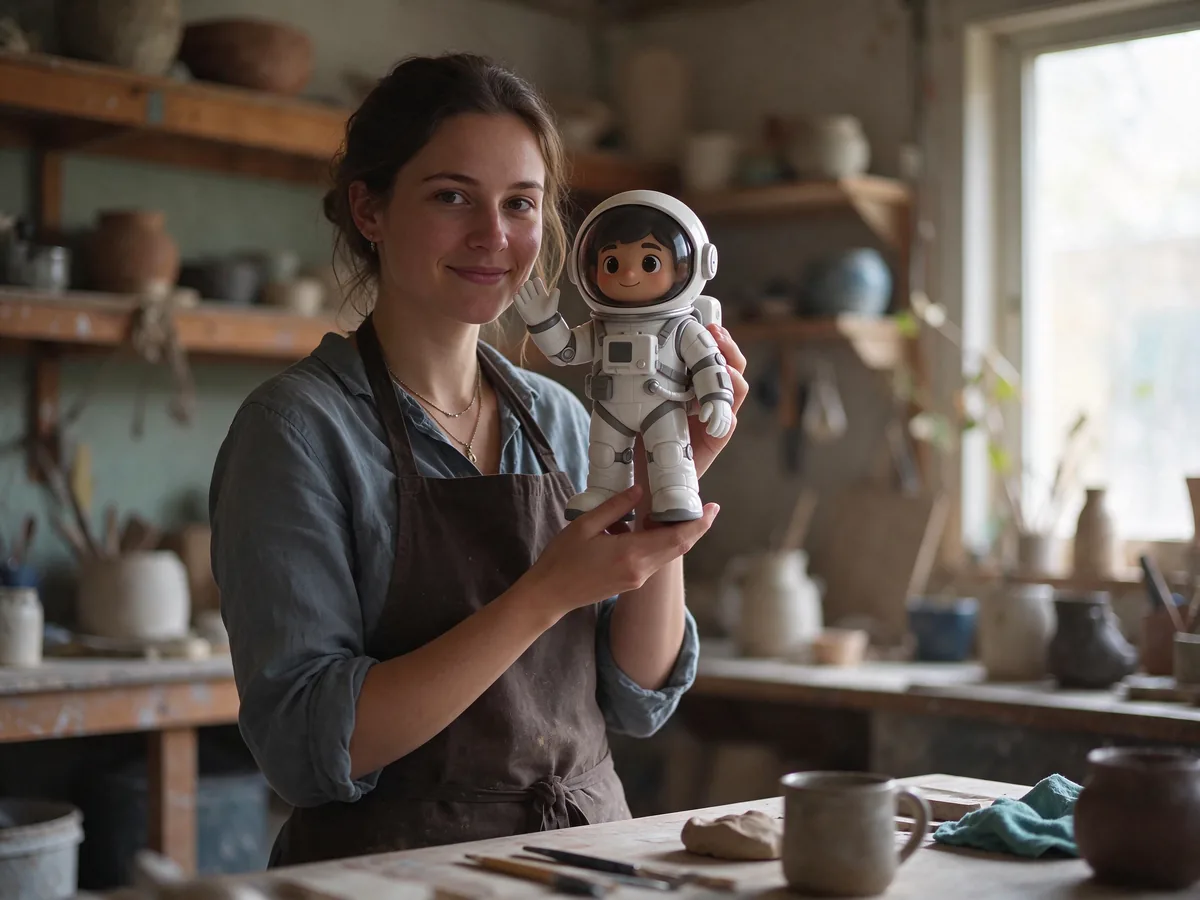
The artist from one image holds the toy from another.
2K · 4:3 · 2 references
Prompt: Combine the two images. The ceramic artist from image 1, same face, hair and apron, stands in her pottery studio and holds the toy astronaut from image 2 up next to her face, smiling. Keep the astronaut exactly as in image 2. Natural window light, photorealistic.
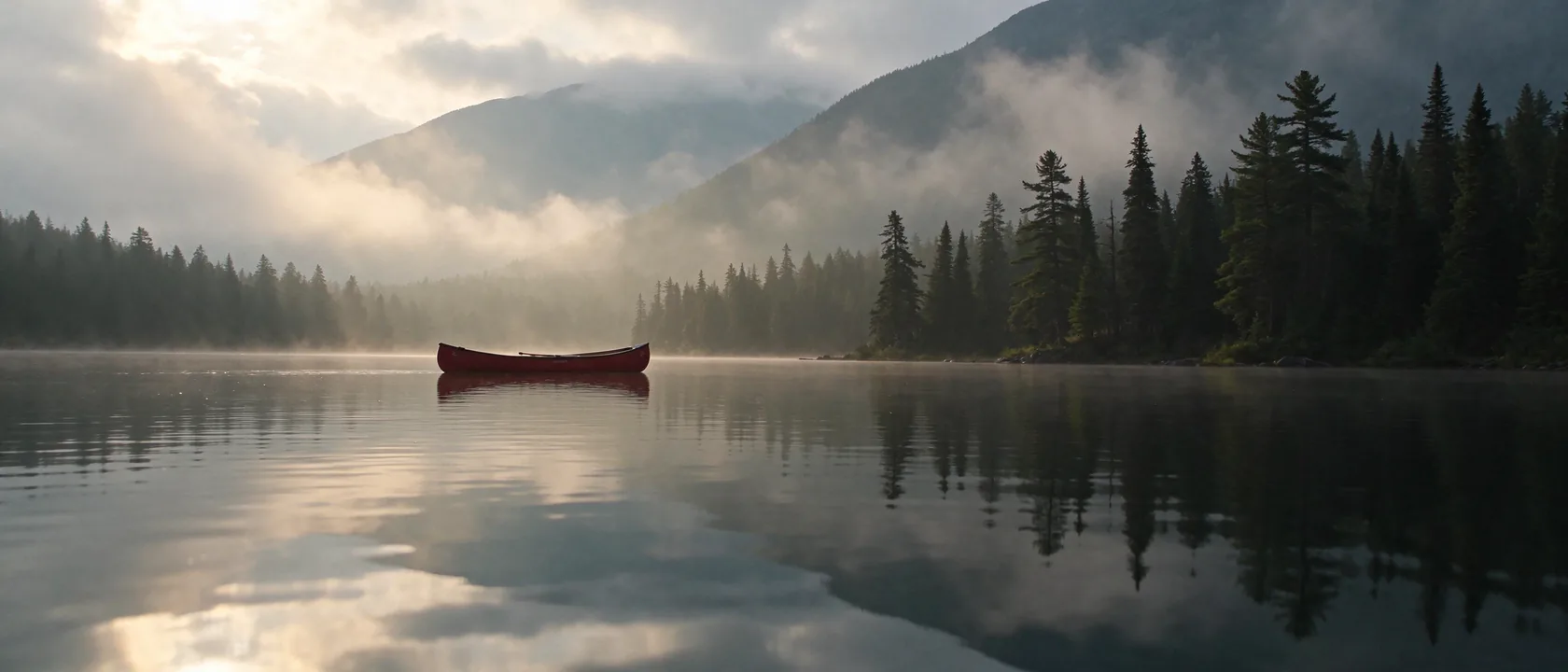
An ultra-wide dawn scene with soft, natural light.
1.5K · 21:9
Prompt: Cinematic ultra-wide photograph of a misty mountain lake at dawn, a single red canoe on glassy water, pine forest on the shore, soft golden light breaking through low clouds, realistic film grain.
ByteDance announced these changes on November 9, 2026. The last column shows what you can use on LookRoll today.
| Feature | What it does | On LookRoll |
|---|---|---|
| Stable multi-round editing | Areas you do not ask to change stay pixel-identical, with no color shift. ByteDance showed 100 edits in a row on one portrait. | Yes, attach the last result |
| Clearer text | Severe text errors fell to 0.4% and minor ones to 1.7% in ByteDance's tests, including dense Chinese and English. | Yes |
| Native transparency | Images can carry an alpha channel, fully or partly transparent, with no background-removal step. | Yes, as PNG |
| More realistic images | ByteDance reports a 55.62% preference gain for realism in image-to-image tasks over the previous version. | Yes |
| Multi-image composition | Combine several reference images and say what each one is for. | Yes, up to 10 |
| Layer separation | Splits one image into background, element and text layers, with optional text recognition. | Not yet |
A Seedream 5.5 Pro version has been announced without a date. ByteDance's comparisons with GPT Image 2.5 Sunburst and Nano Banana 2.1 come from its own evaluations.
All three models are available on LookRoll. This is how they differ here.
| Seedream 5.5 | Seedream 5 Lite | GPT Image 2.6 | |
|---|---|---|---|
| Released | November 9, 2026 | — | November 4, 2026 |
| Transparent background | Yes, PNG | No | Not on LookRoll |
| Resolution | 1K, 1.5K or 2K | 2K, 3K or 4K | 1K, 2K or 4K |
| Reference images | Up to 10 | Up to 14 | Up to 16 |
| Aspect ratios | 10, from 1:2 to 21:9 | 10 plus auto | 15, from 1:3 to 3:1 |
| File formats | PNG · JPEG | PNG · JPEG | PNG · JPEG · WebP · GIF · SVG |
| Quality setting | Not needed | Not needed | Low, Medium or High |
| Price on LookRoll | 39 credits at 1K, 69 at 2K | 84 credits at 2K | From 90 credits at 1K |
Choose Seedream 5.5 for edits that must leave the rest of the picture alone, for text-heavy designs and for transparent assets. Pick Seedream 5 Lite when you need 3K or 4K files, and GPT Image 2.6 for GIFs, SVGs and extreme formats.
Choose Transparent as the background in the studio and Seedream 5.5 returns a PNG with an alpha channel, so stickers, product cut-outs and logos are ready to place on any design.
Full and partial transparency, so glass, smoke and soft shadows keep their see-through edges.
Nothing is cut out after generation: the model draws the transparency itself.
JPEG cannot store transparency, so transparent images are always saved as PNG.
A transparent image costs the same credits as any other image of that size.
Attach an image and describe one change. Seedream 5.5 is built to keep everything else as it was, so you can refine a picture step by step.
Change an object, a color, an expression or a line of text without redrawing the scene.
Use "Edit this image" on a result to attach it to the next request. Each round starts from the image you choose.
Combine people, products, styles and backgrounds, and name them by number, such as "the person in image 1".
Upload a rough drawing and describe the finished picture you want.
Credits per image. 1K and 1.5K cost the same, and each reference image adds 16 credits. The studio shows the exact price before you generate.
| Resolution | Text only | With 1 reference |
|---|---|---|
| 1K | 39 credits | 55 credits |
| 1.5K | 39 credits | 55 credits |
| 2K | 69 credits | 84 credits |
Our provider bills Seedream 5.5 per image, with a higher tier for 2K, and bills every reference image as an input image. LookRoll's credit prices follow those rates.
Plans & creditsDescribe the image. Put the exact words for signs, titles and labels in quotation marks.
Attach up to 10 images to edit, combine or match, then choose the size, shape and background.
Check the credit price and generate. Download the result or use it as the start of the next edit.
ByteDance is rolling Seedream 5.5 out in Jimeng and Doubao in China, and in the Dola app and BytePlus playground elsewhere.
Developers can call Seedream 5.5 through Volcano Engine Ark and BytePlus.
Headlines, prices and small print that read correctly, in Chinese, English and more.
Transparent PNGs for packaging, online shops, slides and social posts.
Swap a color, remove a distraction or fix a detail and leave the rest untouched.
Keep the same person or mascot while the setting, outfit or pose changes.
ByteDance Seed
1K (≈1 MP) · 1.5K (≈2.4 MP) · 2K (≈3.7 MP)
1K 1:1 = 1024 × 1024 · 1.5K 4:3 = 1792 × 1344 · 2K 16:9 = 2560 × 1440
1:1 · 4:3 · 3:4 · 16:9 · 9:16 · 3:2 · 2:3 · 21:9 · 2:1 · 1:2
0–10, JPG · PNG · WebP
Auto · Transparent (PNG)
PNG · JPEG, one image per request
Seedream 5.5 is new at our provider, which still applies upstream rate limits. If a request cannot be completed, the job fails and your credits are returned automatically.
Seedream 5.5 has no 3K or 4K output yet. Use Seedream 5 Lite or GPT Image 2.6 for larger files.
Layer separation and batches are not on LookRoll. Each request returns one image.
The text and realism figures on this page come from ByteDance's own tests. Check important text before you publish.
ByteDance's newest Seedream image model, released by the Seed team on November 9, 2026. It focuses on stable multi-round edits, clearer text and native transparent images.
ByteDance's own tests across six use cases favour Seedream 5.5 over the previous version: fewer text errors, more than twice the usability for film and office work, and a 55.62% realism preference in image-to-image tasks. Independent tests are not out yet, and a Pro version is still to come.
On LookRoll it uses credits: 39 credits for a 1K or 1.5K image and 69 for 2K, shown before you generate.
Yes. Choose Transparent as the background and you get a PNG with an alpha channel, including partly transparent areas such as glass.
Attach the photo, describe the one thing that should change and say that everything else stays the same. To keep going, use "Edit this image" on the newest result and describe the next change.
Up to 10. Each one adds 16 credits. Refer to them by number, for example "the jacket from image 2".
1K, 1.5K and 2K in ten aspect ratios from 1:2 to 21:9. A 2K image is about 3.7 megapixels, for example 2560 × 1440 at 16:9.
Yes. ByteDance highlights dense Chinese and English text, and our examples include both. Put the exact words in quotation marks.
Seedream 5.5 for careful edits, text-heavy layouts and transparent assets at a lower price. GPT Image 2.6 for animated GIFs, SVG vectors, 4K files and very wide or tall shapes.
In the Seedream 5.5 studio, which has every setting including transparent backgrounds, and in Image studio. It is also one of the models in the Anime Star Eye template.
Checked on November 10, 2026. Seedream 5.5 is new, so details may still change.
LookRoll is an independent service and is not affiliated with ByteDance.
Open the studio, write a prompt and see the exact credit price before you generate.
Open Seedream 5.5 studio