Two variants
Flare is the fast default for exploring ideas. Sunburst spends more effort on fine detail and keeps multi-turn edits consistent.
New model · OpenAI
Create and edit images with control over quality, shape and detail.
GPT Image 2.6 is OpenAI's latest image model on LookRoll. Describe a new picture or attach up to 16 reference images to edit, then choose the variant, quality, aspect ratio and resolution before you spend a single credit.
 Open GPT Image 2.6 studio
Flare is the fast default for exploring ideas. Sunburst spends more effort on fine detail and keeps multi-turn edits consistent.
Pick Low for quick drafts, Medium for everyday work or High for final images. The credit price updates before you generate.
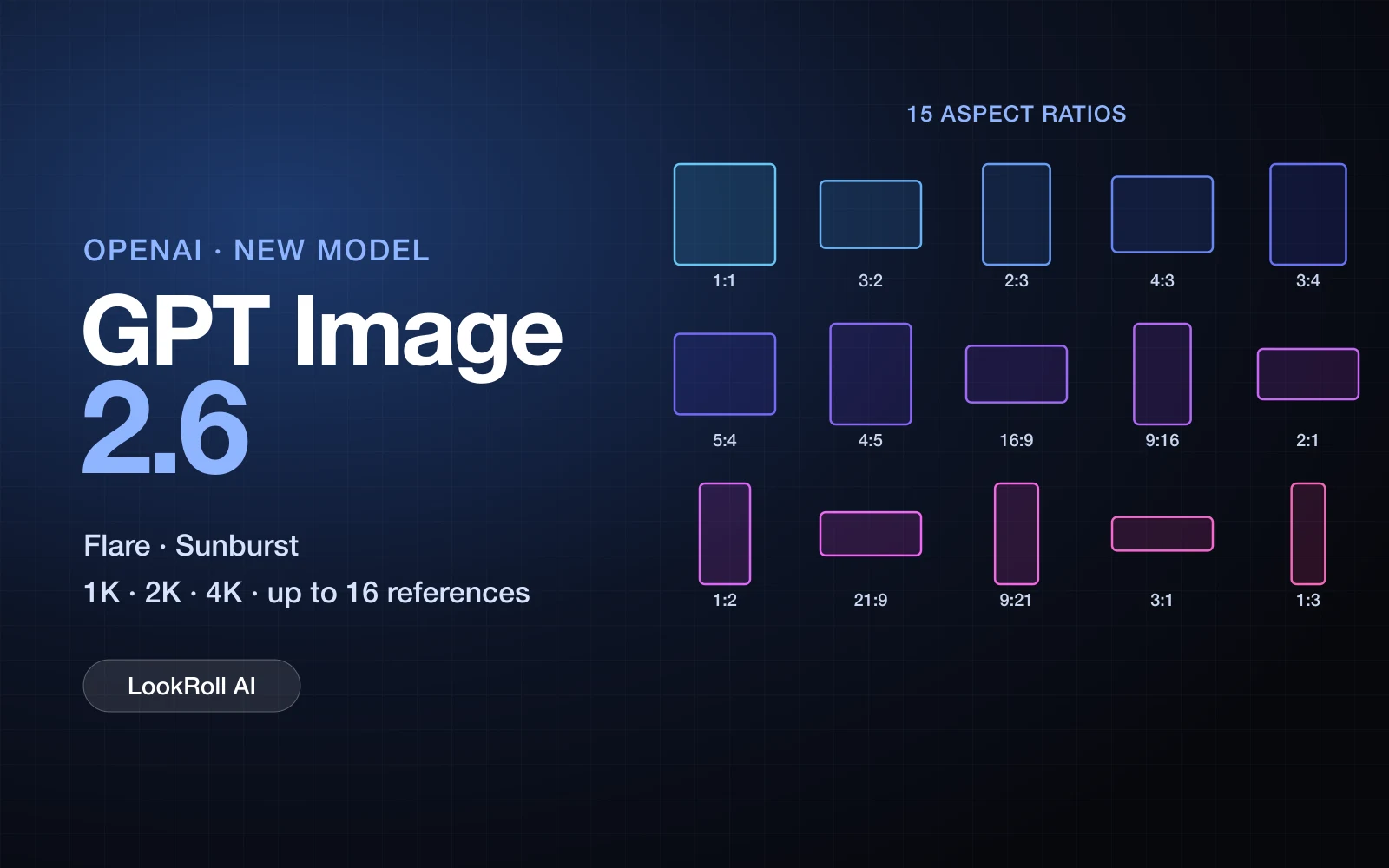
From 1:1 and 4:5 for social posts to 21:9 banners and 1:3 posters, without cropping afterwards.
Generate at 1K, 2K or 4K. At 4K a square image is 2880 × 2880 and 16:9 is 3840 × 2160 pixels.
Attach up to 16 images to restyle a product, keep a character consistent or combine several sources in one scene.
Every request uses the model's highest planning level, which is designed for dense text, complex layouts and relationships between objects.
Both variants share the same settings and credit prices on LookRoll.
The recommended default: faster results for iterating on prompts, layouts and ideas.
Chosen for finer detail and steadier results when you refine the same image over several edits.
The lowest price per image. Good for sketches, thumbnails and testing a prompt.
The balanced default used in Image studio for everyday visuals.
The most detail for final artwork, products and text-heavy designs.
Flare · Sunburst
Low · Medium · High
1K · 2K · 4K
1:1 · 3:2 · 2:3 · 4:3 · 3:4 · 5:4 · 4:5 · 16:9 · 9:16 · 2:1 · 1:2 · 21:9 · 9:21 · 3:1 · 1:3
0–16, JPG · PNG · WebP
PNG · JPEG · WebP
Wide 21:9 headers and tall 1:3 posters with readable headlines.
Put one product photo into new scenes, colors and seasons.
Keep the same face, outfit or mascot across a series of images.
Square, 4:5 and 9:16 visuals ready for feeds and stories.
Describe the image, or explain what should change in your reference images.
Pick Flare or Sunburst, quality, aspect ratio, resolution and file format.
Check the credit price, generate, then download or keep editing in your private library.
Credits per image for both variants. Each reference image adds 30 credits.
| Quality | 1K | 2K | 4K |
|---|---|---|---|
| Low | 90 credits | 360 credits | 711 credits |
| Medium | 255 credits | 1020 credits | 2016 credits |
| High | 330 credits | 1320 credits | 2607 credits |
GPT Image 2.6 is rolling out at our provider. If a request cannot be completed, the job fails and your credits are returned automatically.
AI images can still misspell words or change small details. Review results before you publish them.
Animated GIF, SVG and mask editing are not available on LookRoll yet.
An image generation and editing model from OpenAI, available on LookRoll in two variants: Flare and Sunburst.
Flare is faster and is the recommended default. Sunburst focuses on fine detail and consistent multi-turn edits. Both cost the same.
It depends on quality and resolution; the full table is on this page and the exact price appears on the Generate button. Reference images add a small amount each.
Yes. Attach up to 16 images and describe the change. Your uploads are safety-checked and stay private.
Fifteen aspect ratios from 1:3 to 3:1 at 1K, 2K or 4K, saved as PNG, JPEG or WebP.
In the dedicated GPT Image 2.6 studio, or by choosing it in Image studio, where it uses Medium quality.
Open the studio, write a prompt and see the exact credit price before you generate.
Open GPT Image 2.6 studio