Make an entrance
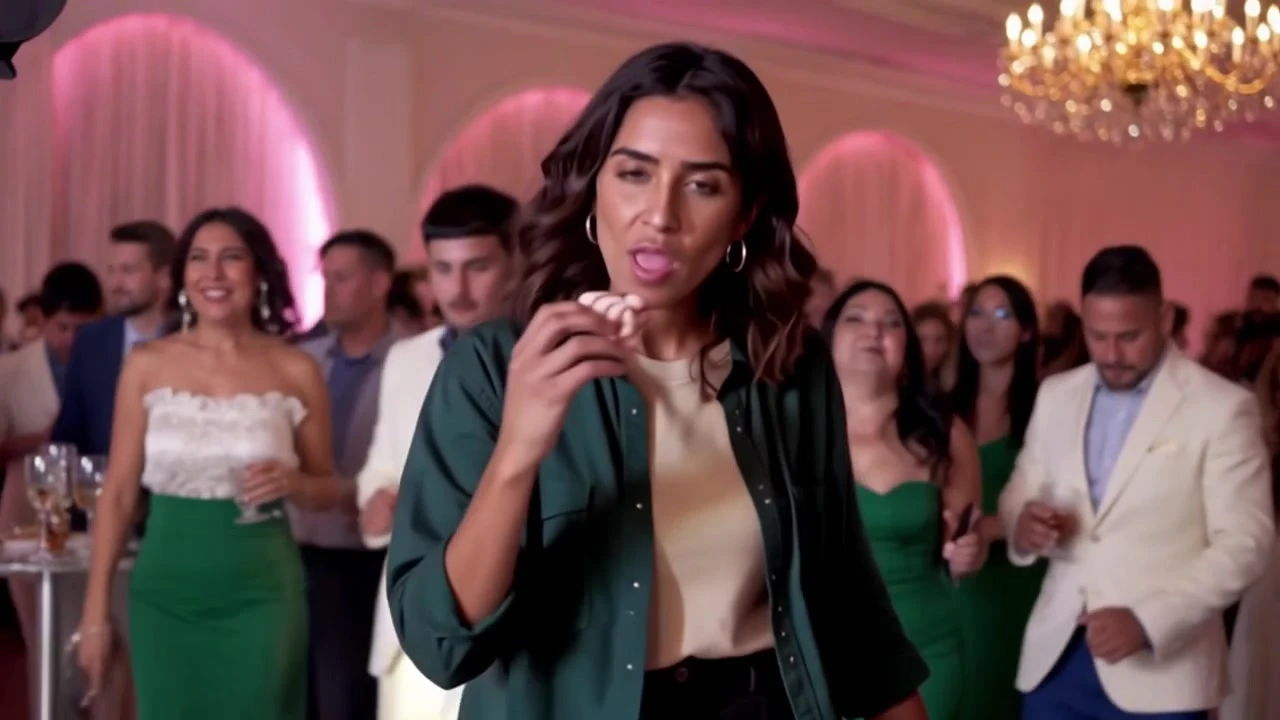
The lead steps out of the crowd and moves towards the camera.
One photo. Your party entrance.
The dance. The bite. That look. Now with you.
Step into the Baby Wow Guy moment: dance towards the camera, take a bite of sweet bread, hold the stare and disappear back into the party. Add one photo; LookRoll prepares your character and follows the reference performance with its original sound.
GPT Image 2 prepares your face and photographed outfit. Kling 4.0 edits the AI-made performance; LookRoll restores the original soundtrack.
Use your own photo or an adult’s photo with their permission. One person only; this template does not support pets or minors.
Make my Baby Wow videoOne AI-made example, with a newly created lead and background cast. Press play to hear the sound.
The pink-lit room sets the scene. The approach, bite, expression and exit carry the joke; your photo supplies the lead character.
About 9.17 seconds · original audio
The effect follows a short performance, rather than inventing an unrelated dance.
The lead steps out of the crowd and moves towards the camera.
The sweet-bread bite arrives inside the same musical phrase.
The close-up chewing and unbothered stare become the punchline.
A turn and a few final steps return the lead to the party.
Cast the friend who always arrives late but somehow owns the room.
Give a consenting friend a starring moment before the birthday messages.
Let a calm photo contrast with the playful dance and deadpan reaction.
Try your everyday look or a party outfit already visible in your photo.
Use a sharp, well-lit adult portrait. Avoid group photos and covered faces.
The photo guides the outfit, hair and existing accessories. No sunglasses or hats are deliberately added.
A waist-up or full-body image helps describe the outfit when the lead turns away.
A clear face helps; hands, chewing and fast turns can still vary in an AI result.
Upload one photo or choose a previous upload. Nobody else needs to provide a photo.
Pick vertical 9:16 for a phone feed or original 16:9 for the wider party scene, then choose 720p or 1080p.
Check the credits, start the job and download the finished MP4 from your private creations.
The displayed credits include character preparation and the complete fixed-length video. Choose a subscription or one-time credits below.
Plans & credits| Model | Quality | credits |
|---|---|---|
| Kling 4.0 | 720p | 5085 credits |
| Kling 4.0 | 1080p | 7605 credits |
Our working reference and public example use AI-created people throughout, including the party guests. Your generation replaces only the lead; the AI background cast stays.
The music, length and dance timing are fixed. Vertical framing follows the lead and shows less of the room than the original wide format.
AI may alter small facial, bread or hand details. This is an independent trend template, not an endorsement by the original performer, artist, TikTok or Instagram.
Before sign-in, the selected file stays in this browser. Generation uploads are checked for safety. Your finished video and character reference are private in your library until you choose to share them.
Only the lead dancer. The room and the newly made AI background cast remain; you do not need photos for the guests.
One photo containing one adult. Multiple faces make the intended lead ambiguous, so choose a single-person image.
Yes. LookRoll restores the fixed trend audio after the picture is generated. It does not compose a new song or translate the vocals.
Those are fixed to this approximately 9.17-second performance. You choose the lead photo, output format and quality.
The photo guides your clothing, hair and existing eyewear. The character step is instructed not to borrow the template actor’s outfit or add absent accessories; AI details may vary.
Use 9:16 for vertical TikTok or Reels posts. Choose 16:9 to keep the wider party view. Vertical framing crops some background to follow the lead.
You can use subscription credits or a one-time credit pack. The exact generation price appears before you start; uploading alone does not start a paid job.
An accepted job continues on the server. Return with the same account to recover its progress and saved result; you do not need to submit another paid request.
Confirmed failed model tasks return their credits. A task needing manual assembly review keeps its credits reserved while support checks it; its status explains what happened.
Download the MP4 and choose where to share it. The soundtrack remains subject to its owner’s rights; generating a video does not grant a music licence. Follow your platform’s rules for AI content.
Choose one clear photo and let your party entrance do the talking.
Create my Baby Wow video